graphigo 2.3 · Rust → WASM · WebGL2 · runs on the visitor's device
The GPU renderer for large hierarchical graphs.
graphigo draws graphs the size of a codebase, every service, file and function at once. Six layouts order the same data in different ways, and you switch between them while the graph is on screen. Every layout is deterministic: the same data gives the same picture.
Experiment
Test the renderer on four datasets.
The experiment page runs the renderer we ship. It has four datasets: a microservice system with several node kinds, a synthetic codebase, a knowledge graph with one million entities (1,101,020 nodes) that is generated level by level as you open it, and ripgrep, a real Rust project pre-analysed into ten crates, 2,300 functions and 3,500 call edges. Change one setting at a time: layout, palette, colour by kind, shapes, curves, particles, glow or motion. The graph stays on screen and the nodes move to their new positions. A code panel shows the lines that produce the current picture, so you can copy the setup into your own app.
The page loads about 14 MB of WASM once. After that everything runs in your browser, with no network calls and no computation on a server.
It also runs offline: unzip it and serve the folder, for example with python3 -m http.server. WASM needs http, not file://.
How it's used
You pass a hierarchical graph: nodes with a kind and a child count, edges with a bundle weight. Children load on demand through a callback you write, so the renderer itself makes no HTTP requests.
{ "nodes": [ { "id": "billing", "kind": "service",
              "label": "billing", "child_count": 12 } ],
  "edges": [ { "from": "billing", "to": "ledger",
              "weight": 3, "ordinal": 0, "kind": "reads" } ] }
// JavaScript, the npm package:
import { mount, presetTheme } from "graphigo";
const theme = await presetTheme("noir");
const g = await mount("#graph", data, { expand, theme, layout: "network" });
g.setLayout("communities"); // the nodes move to their new positions
// Rust, the crate underneath:
graphigo::start(slice, StartOptions {
theme: Theme::preset("noir").unwrap(), layout: Rc::new(Network), ..
});The Rust crate and the npm package both ship with source code.
Six layouts2.0
Choose the layout your data supports.
Each bundled layout sorts by one property of your data and ignores the rest. If the data lacks that property, the result shows it plainly: clusters on a level with a single kind draws one ring, layers on a chain draws a straight line. graphigo never switches to a different rule on its own. Offer your users the layouts that fit your data and let them switch; when the same nodes move from one layout to the next, the differences are easy to see.
| layout | sorts by | needs | typical data |
|---|---|---|---|
| circle pack | Siblings on rings, crossings kept low; an open child sits in the centre. | no extra data (the default) | any hierarchy |
| clusters | Nodes of the same kind sit together. | several kinds per level | services, queues and stores in one system |
| flow | Each kind is a column, left to right. | several kinds in a meaningful order | pipelines of typed stages |
| layers | Every node stands right of its predecessors. | directed edges that form layers | call and dependency graphs with entry points |
| network | Connected nodes lie close together. | edges | any graph with edges |
| communities | Densely connected nodes form groups. | edges with group structure | modules, teams, cliques |
Each row opens the experiment with that layout. Your own layout plugs in through the same interface.
How it works
Stable by construction.
No simulation between frames
Each layout runs once per structural change, not once per frame. The force layout in network runs to convergence inside that single call. Containers are sized to enclose their children exactly, so nothing oscillates and nothing escapes its container.
Readable without clicking
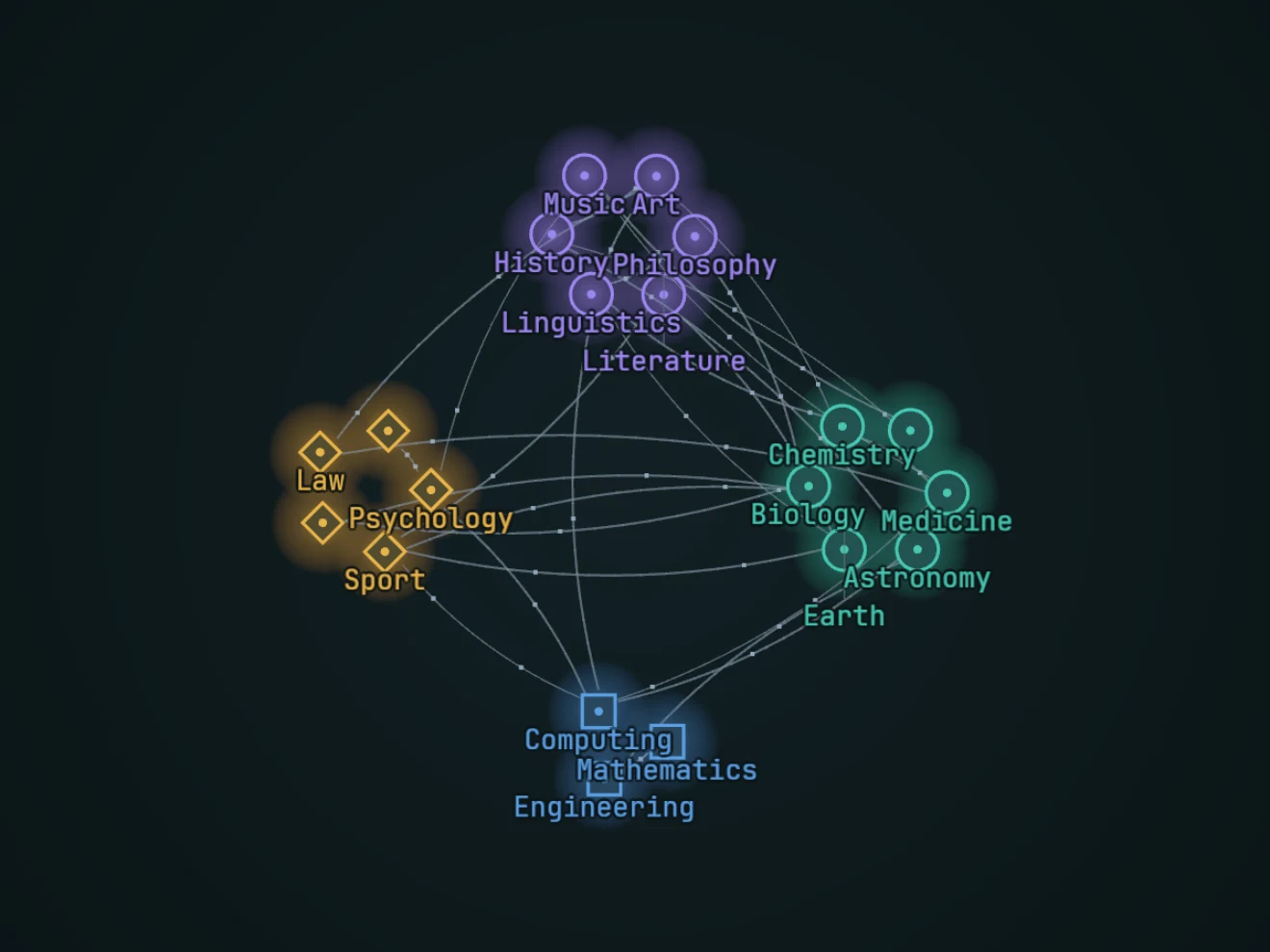
Colour shows depth by default, or the node kind if your data has a few clearly separate kinds. Shape can show the kind as well. Size shows the child count in four fixed steps. Every edge is drawn. Edges curve, so A→B and B→A stay apart; parallel calls bundle into one edge with an ×N label; small particles show the direction.
Drill down without losing your place
Double-click any node to open it, on any level. Labels inside the open container stay large; labels further out fade as you zoom out. Selecting a node dims everything that is not connected to it. The camera follows, and the breadcrumb leads back up.
Layout plugins
A layout is a function.
A layout receives the structure of one container and returns positions. It must be pure and deterministic; the renderer animates the transitions. The six bundled layouts use this interface, and yours can be the seventh.
The plugin specification is one self-contained document. You can give it to an LLM and get a working layout back. A test harness checks shape, determinism, containment and overlap before the layout is ever drawn.
Theming
Change any colour, size or effect.
A theme holds every colour and size the renderer uses, and every effect: glow, label halo, curves, particles, breathing, and the shapes and colours of your node kinds. Three palettes ship as starting points: petrol, noir and paper. Take a preset, change the fields you need and pass it back. A theme is always complete; if a field is missing, the error names it. Themes switch while the graph is on screen, with a 0.6 s cross-fade. Motion follows the visitor's reduced-motion setting unless you override it.
import { mount, presetTheme } from "graphigo";

const theme = await presetTheme("paper");   // petrol · noir · paper
theme.nodeColor = "kind";
theme.nodeKinds = {
  queue: { shape: "ring",    color: "#b7791f" },
  store: { shape: "diamond", color: "#6d28d9" },
};
theme.particleEdges = 0;                     // 0 switches an effect off
const g = await mount("#graph", data, { expand, theme });
g.setTheme(await presetTheme("noir"));       // cross-fades in 0.6 s
Example: the microservice system on paper, coloured by kind. The code panel on that page shows the theme lines for every setting you change.
Rust core, JavaScript API:graphigo.mount(el, data, options)
No network calls at runtime.
No telemetry.
Static data, or children loaded
on demand as you drill down.
Licensing
You buy the source code.
Free for non-commercial use
Personal projects, research and evaluation need no licence.
Commercial licence with source
A commercial licence includes the full source, so you can read, build and debug what you ship.
No licence keys, no DRM
Nothing checks in with a server and nothing expires in production. The licence pays for commercial use, updates and support.
Early access: the licensing terms are not final yet and will be published here.